Solution – The Tracker
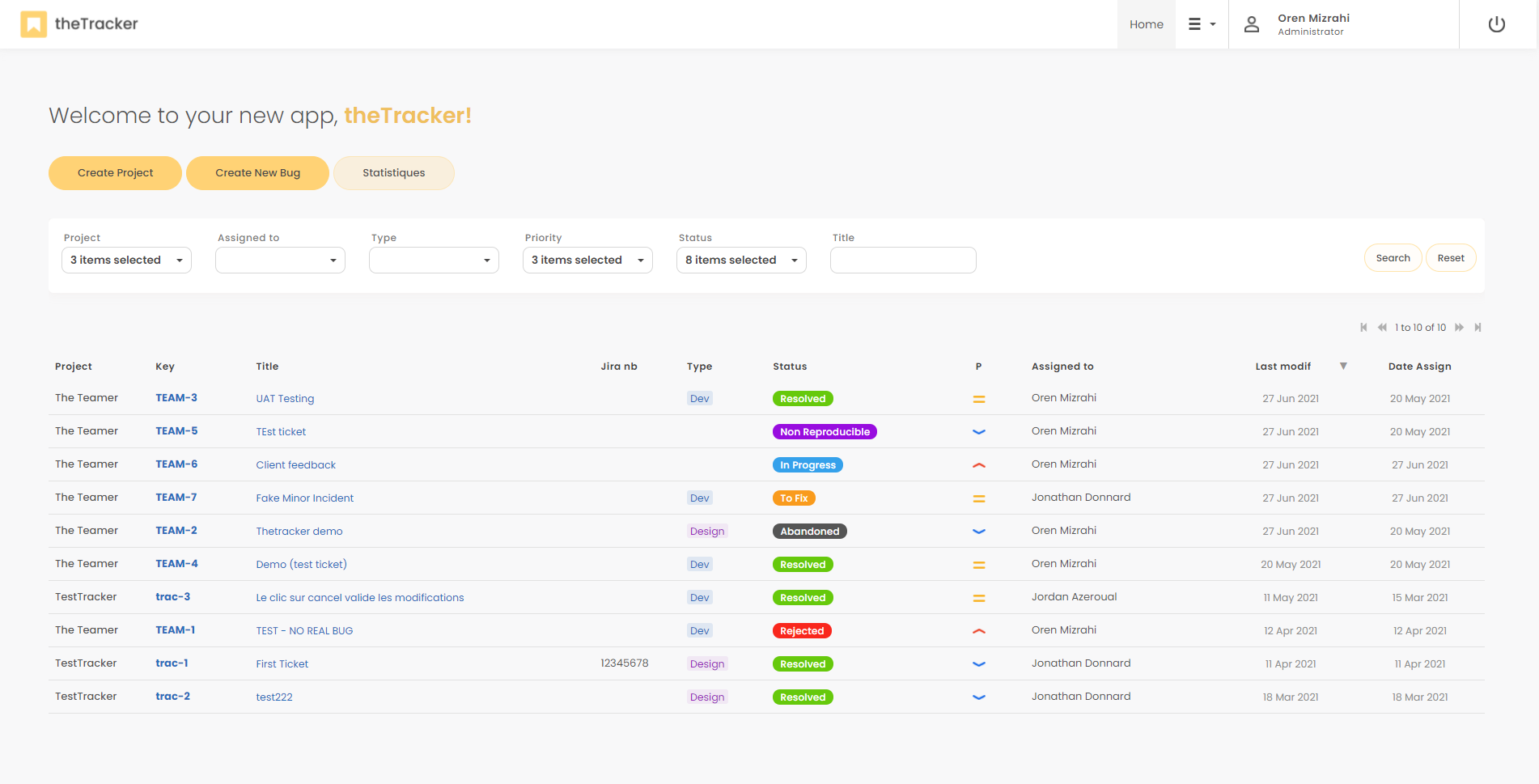
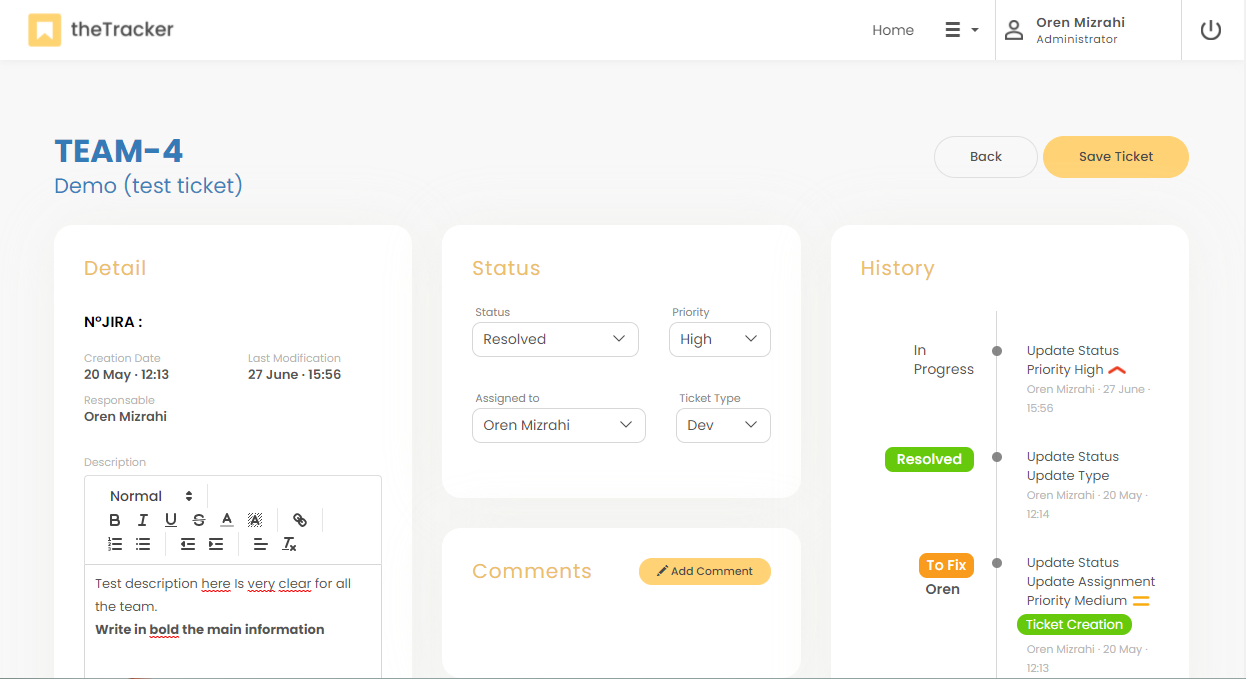
Bug tracking tool


DESCRIPTION
The best way to track support requests
The Tracker is a simple and effective ticketing tool for managing support requests and tracking tickets. Essential for managing your projects and handling customer requests.
The Tracker: Powerful Features for Streamlined Bug Tracking
Say goodbye to tedious manual tasks and hello to a streamlined bug tracking experience! The Tracker empowers you to manage bugs efficiently with a suite of powerful features designed to boost productivity and collaboration.
- Reduce Manual Work: Automate repetitive tasks like bug creation and assignment, freeing up valuable developer time for strategic problem-solving and innovation.
- Boost Communication: Foster clear and seamless communication among developers and stakeholders with real-time notifications and integrated chat functionality. Collaborate effectively and resolve issues faster.
- Actionable Insights: Generate comprehensive reports and data-rich analytics that provide valuable insights into your development process. Prioritize bug fixes effectively based on severity and impact, ensuring a smooth and successful development cycle.
- Customizable Workflows: Adapt The Tracker to perfectly match your unique development methodology. Create custom workflows that streamline your bug tracking process, ensuring a seamless integration with your existing team practices.
The Tracker provides an all-in-one solution for your bug tracking needs. With its intuitive interface and powerful features, The Tracker empowers your team to identify, address, and resolve bugs efficiently, leading to a more robust and successful development journey.
MESSAGE
We’re all ears
SCREENSHOTS
Your content goes here. Edit or remove this text inline or in the module Content settings. You can also style every aspect of this content in the module Design settings and even apply custom CSS to this text in the module Advanced settings.
Your content goes here. Edit or remove this text inline or in the module Content settings. You can also style every aspect of this content in the module Design settings and even apply custom CSS to this text in the module Advanced settings.

logo academy_1@2x
Informations Entreprise (1)

17872 (1)

sourire-jeune-beau-homme-fonctionnement-ordinateur-portable (1)

Philippe Gouverneur

tracking time